
About the Course
The Complete Kubernetes course is an instructor-led comprehensive Kubernetes course that was delivered to organizations, and is now open for everybody to register.
It is a deep and hands-on course, covering most of what you'd encounter in a day-to-day operation of a Kubernetes cluster.
Who this course is for
This course if for:
-
Solution Engineers
-
Dev(Sec)Ops Engineers
-
Software developers
-
System Architects
-
Team Leaders
-
Data Engineers
-
and anybody wishes to get a comprehensive knowledge and hands-on experience with Kubernetes
What you are about to learn
By the end of this course you could (partial list):
-
Install a complete K8S cluster from the ground up!
-
Manage the cluster, and upgrade nodea to new K8S versions
-
Create users, service accounts and assign Roles to users (RBAC)
-
Create single/multiple container pods, handle restart policies and init containers
-
Understand and control pod scheduling
-
Understand and use deployments and auto-scaling
-
configure resource requests and resource limits
-
Understand complete K8S networking, services (including services of a load-balancer type)
-
Understand and configure K8S storage
-
Learn to use some advanced troubleshooting techniques
Prerequisites
We are not going to teach you how to create repositories, or use them in day-to-day scenarios, so it is better to come with some knowledge. A little bit of networking (IP addresses and protocols), some security (PKI for example). No real programming knowledge is required.
For the installation phase, you'd better feel comfortable with Linux.
A Hands-On course
REGISTER NOW
Every Kubernetes course should be enforced with some hands-on labs, but this course has over 40 labs.
We'll be using a VM based K8S cluster installed on your computer, so you can see into the depths of the networking mechanism and the scheduling options of pods.
When the course is over you are left with the cluster itself, and the ability to create one whenever you need it, to learn, practice and experiment.
My goal is let you feel "at home" with your K8S cluster, doing the same operations you'll be doing through your day to day activities at work.
Course Details
Schedule, course language and other important details.
-
This is an instructor-led, virtual (zoom) course (VILT)
-
The course will be delivered in Hebrew, course materials are in English
-
We'll have 10 weekly meetings, 4 hours each (total of 40 hours)
-
Each session will be held on a Sunday, 17:00-21:00 IDT
-
70% will be delivered as hands-on labs, so be prepared to work hard : )
-
Labs will be done on participants computers (read on for details)
Your Course Computer
You'll need a computer powerful enough to run the Kubernetes cluster that we will be using.
See more details here.
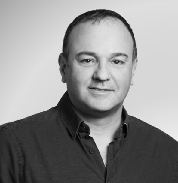
Meet your Instructor
Course curriculum
-
1
A: Concepts and Installation
- Lab A-1: infrastructure
- Lab A-2: Network
- Lab A-3: Building a Cluster
-
2
B: Cluster Management
- Lab B-1: Safely Draining a Node
- Lab B-2: Upgrade
-
3
C: API Objects
- Lab C-1: kubectl
- Lab C-2: Labels and Selectors
- Lab C-3: Users
- Lab C-4: Role Based Access Control (RBAC)
- Lab C-5: Service Accounts
- Lab C-6: Resources
-
4
D: Pods and Containers
- Lab D-1: Application Configuration
- Lab D-2: Resource Management
- Lab D-3: Monitoring Health using Probes
- Lab D-4: Restart Policies
- Lab D-5: Multi-Container Pods
- Lab D-6: Init Containers
-
5
E: Advanced Pod Allocation
- Lab E-1: Scheduling with nodeName
- Lab E-2: Scheduling: select
- Lab E-3: Scheduling with taints and tolerations
- Lab E-4: Scheduling with daemonsets
- Lab E-5: Scheduling with static pods
-
6
F: Deployments
- Lab F-1: Deployments Overview
- Lab F-2: HPA
- Lab F-3: Rolling Updates
- Lab F-4: CRD
-
7
G: Networking
- Lab G-1: Basic DNS
- Lab G-2: Calico
- Lab G-3: DNS Pod Configuration
- Lab G-4: CoreDNS configmap
- Lab G-5: Network Policies
- Lab G-6: Services
- Lab G-7: MetalLB
- Lab G-8: Ingress
-
8
H: K8S Storage
- Lab H-1: Using Volumes
- Lab H-2: Persistent Volumes and Claims
- Lab H-3: Storage Classes
-
9
I: Troubleshooting K8S
- Lab I-1: Lifecycle Hooks
- Lab I-2: Attaching to a Pod
-
10
J: Helm
- Lab J-1: Charts and Repositories